
Shape Settings
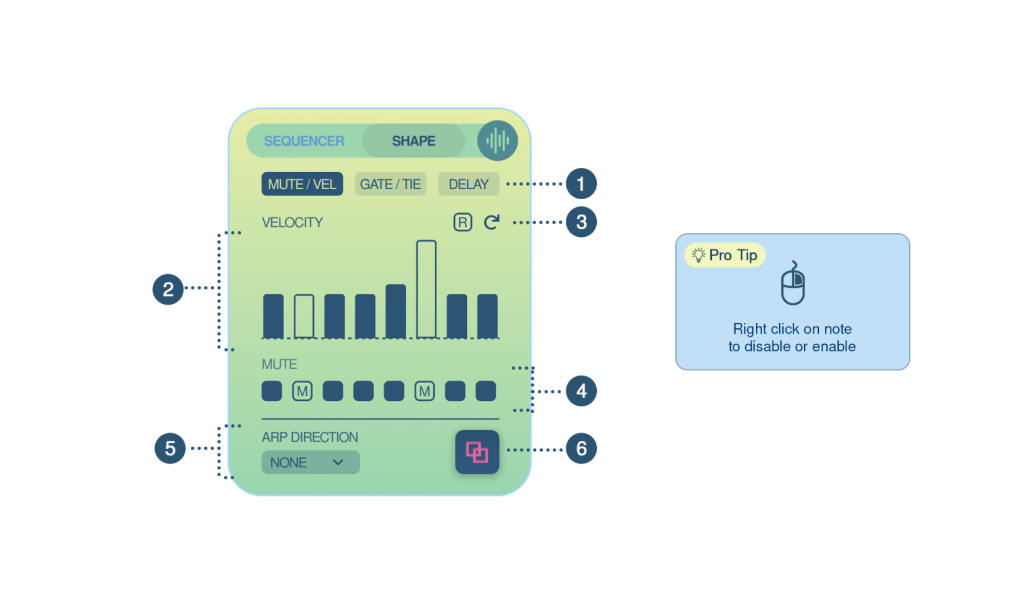
1.Shape Settings Menu – Toggle between the various shape settings tabs.
2.Note Velocity – This tab allows you to fine-tune the velocity of each note within a shape. Each bar corresponds to an individual note and the number of bars varies based on the shape type. These bars can be adjusted by dragging them vertically to modify the velocity value, ranging from 0 to 127.
Enable/Disable Note Repeats – Right-clicking on the bars provides the option to toggle the notes on and off.
