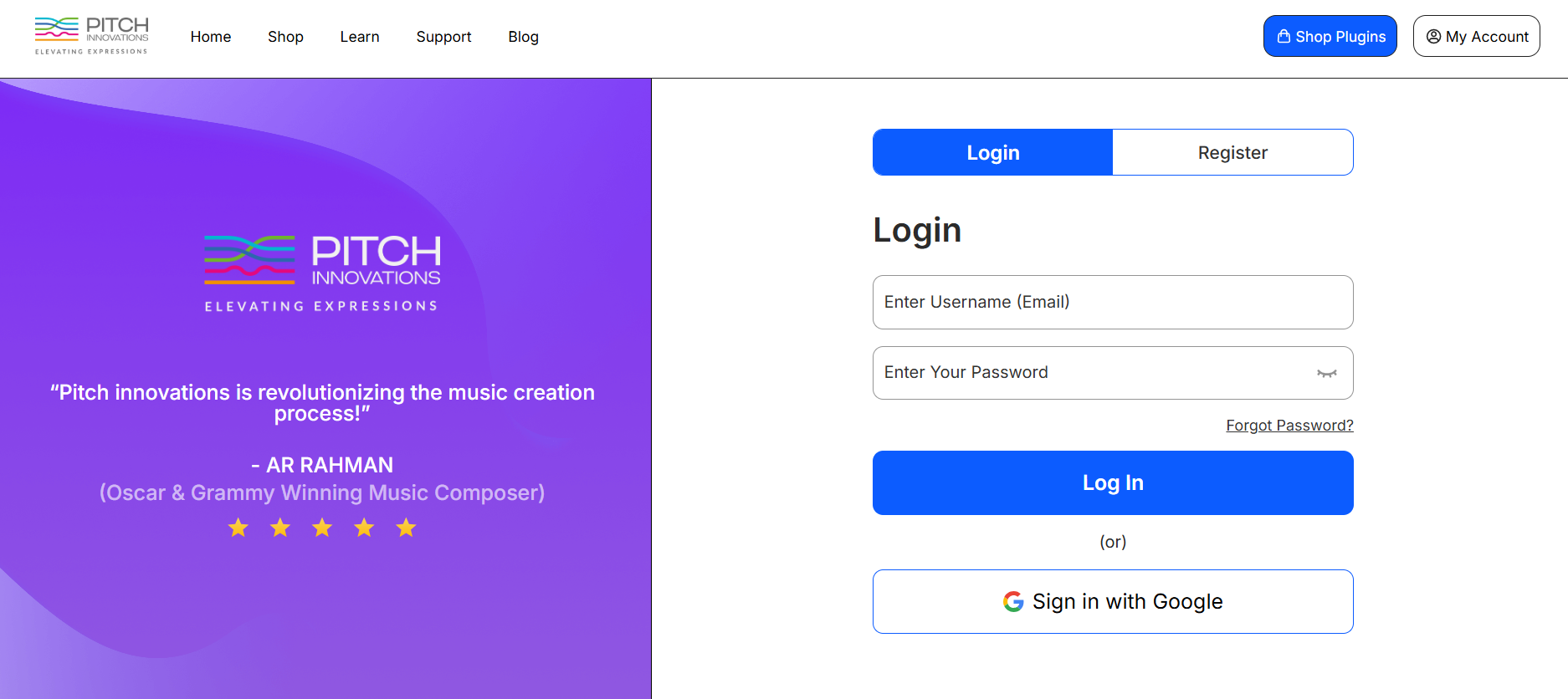
1. Account Creation
- If you don’t have a Pitch Innovations account, fill in the required fields under the Register section to create one.
- If you already have an account, log in using your existing Pitch Innovations credentials.
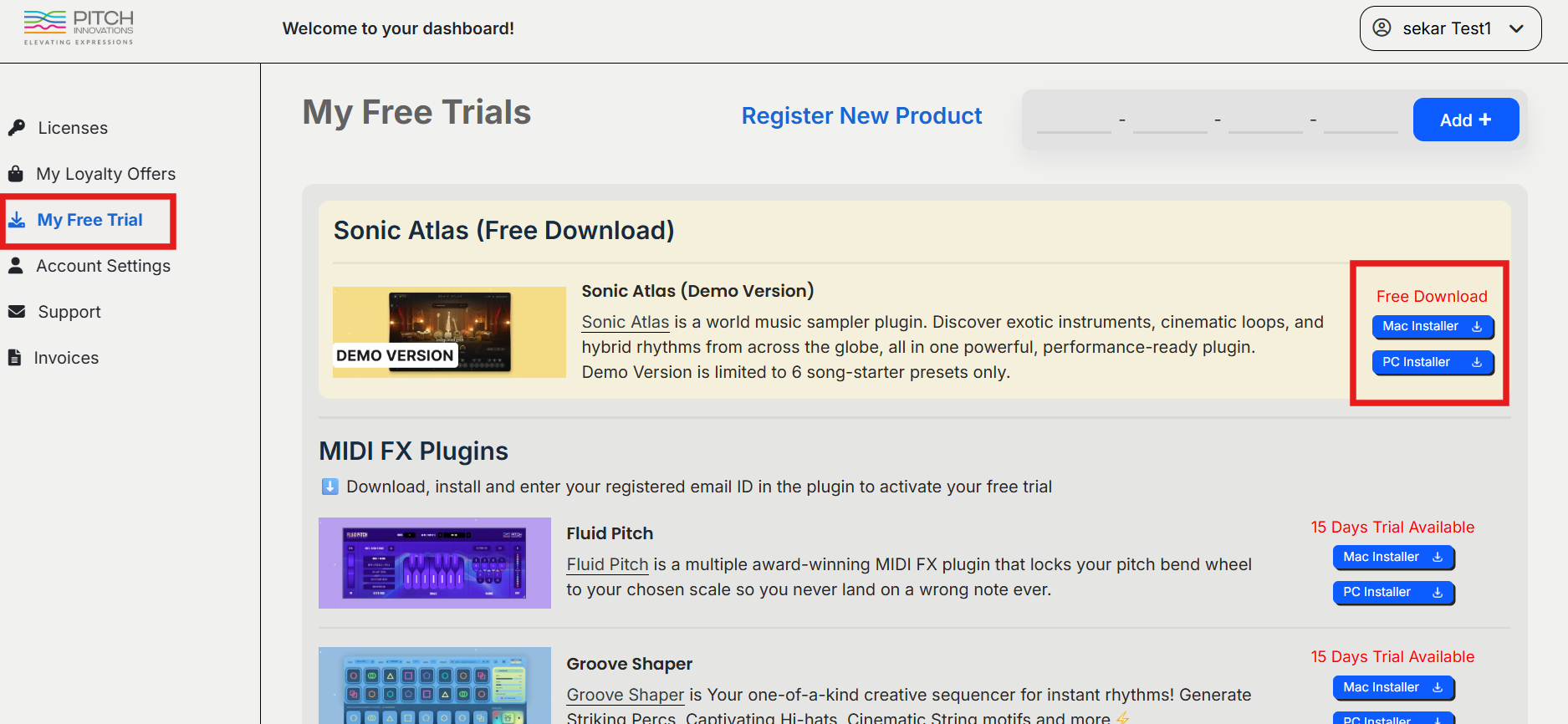
2. Accessing Your Dashboard
- Once logged in, go to your My Free Trial section.
- Here, you will see all your free trial products, including Sonic Atlas.
- Download the Mac or Windows installer of Sonic Atlas from your dashboard and proceed with installation.
Mac / Windows Installation:
• Run the downloaded .pkg (Mac) or .exe (Windows) installer and follow the on-screen instructions to complete installation.
How to Activate the Free Demo of Sonic Atlas
1. Load Sonic Atlas in your DAW, or open it as a standalone application.
(Recommended: Use standalone mode first to avoid DAW internet access limitations.)
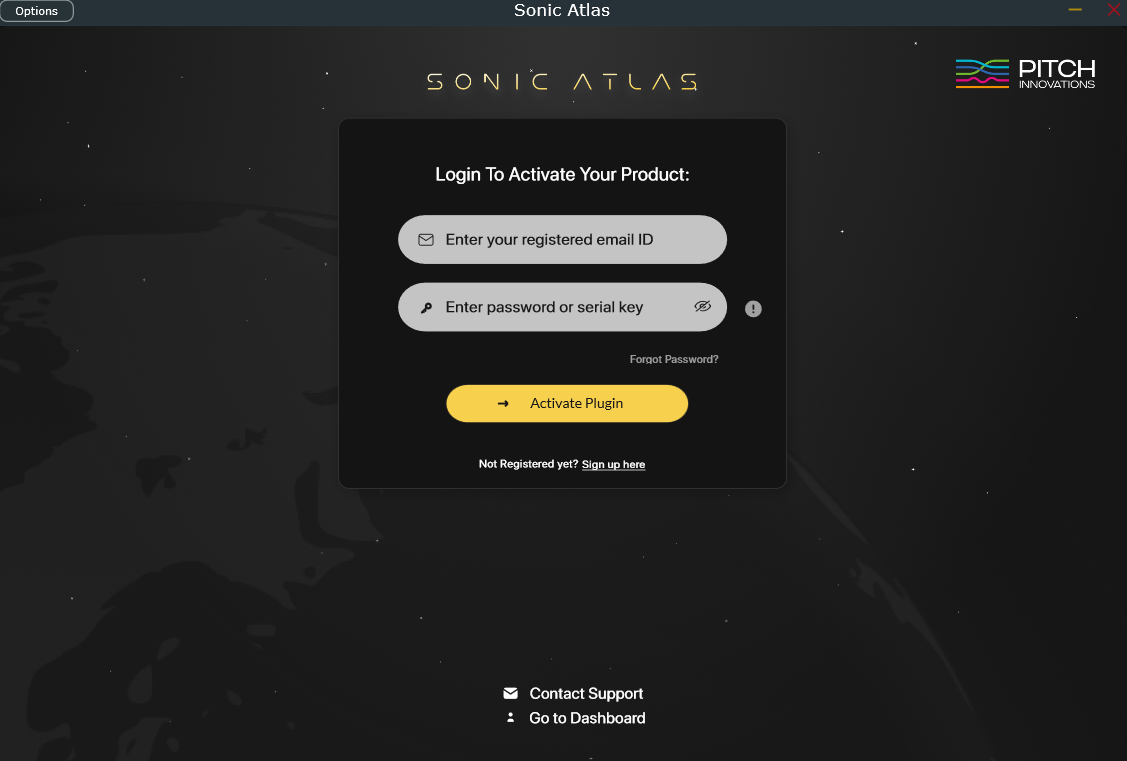
2. Log in using your Pitch Innovations account and click Activate Plugin.
Important:
• The Free Demo version does NOT require any Serial Key.
• Activation is done only using your Pitch Innovations login details.
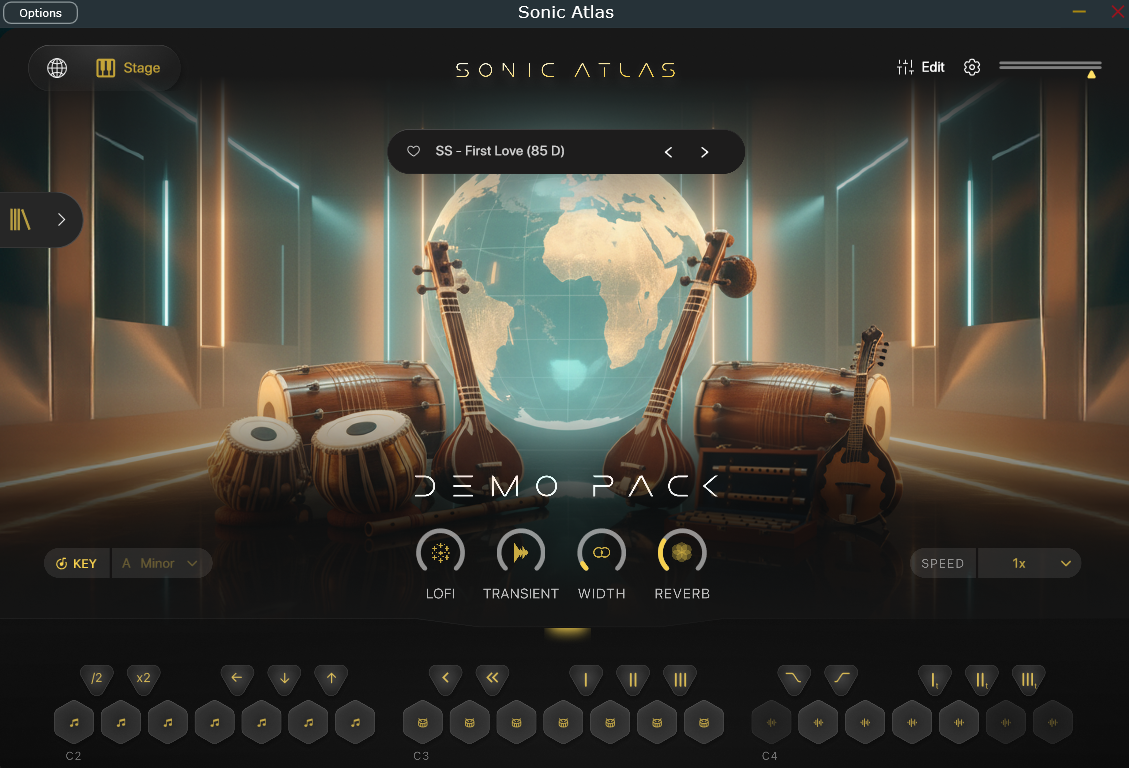
3. After successful activation, you will see the Demo Pack available inside the plugin.
- Click Load Library to load the Demo Pack into the sampler.
- While scrolling, you may also see additional Expansion Packs which require purchase before use.
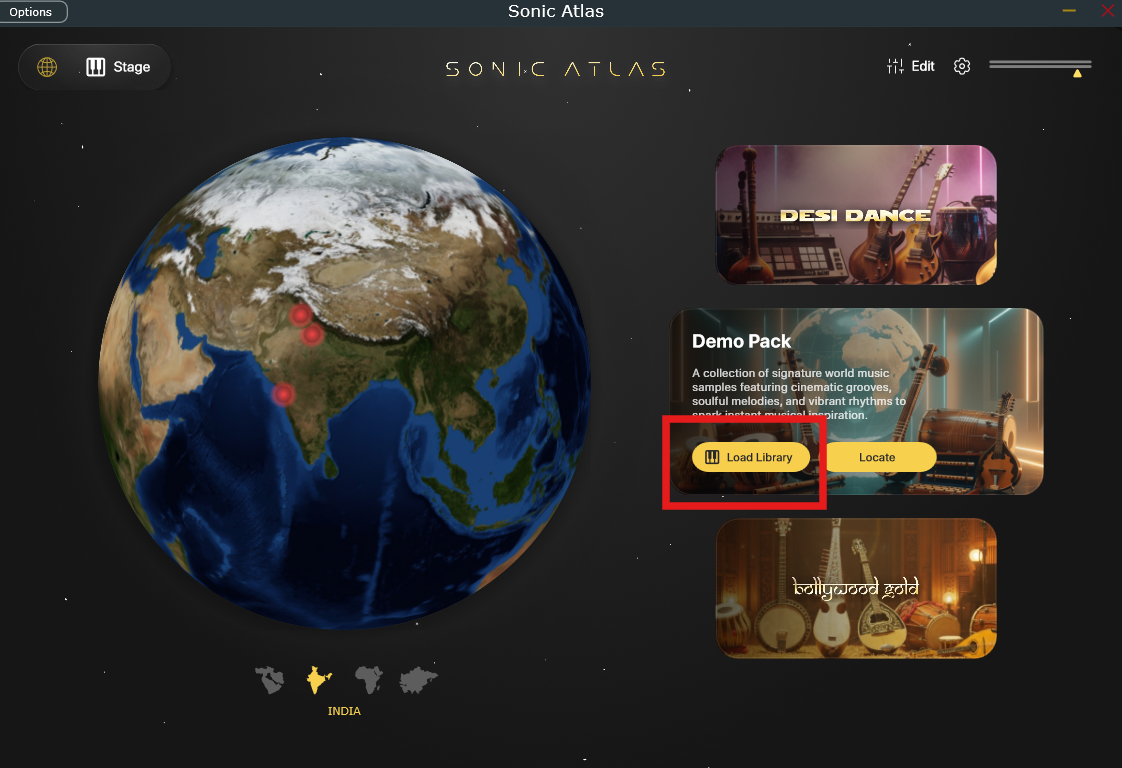
4. The Demo Version includes 6 song-starter presets only.